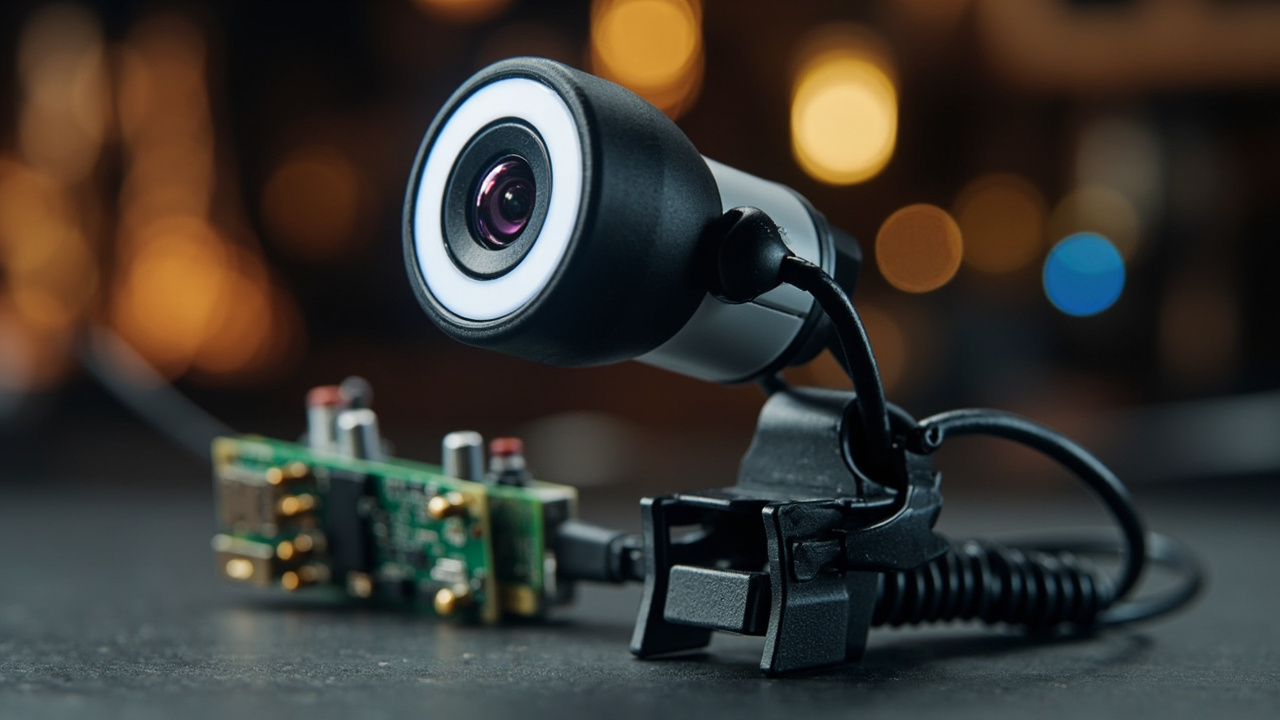
TL;DR: Arduino introduced a $34 first official standalone USB Camera on October 15, 2026 that adds vision and audio input to UNO Q and VENTUNO Q for on-device AI.
Arduino has released its first official, standalone USB Camera as a plug-and-play vision and audio accessory for edge AI projects. The $34 device was introduced on October 15, 2026 and is designed for use with the Arduino UNO Q and Arduino VENTUNO Q single-board computers, according to the Arduino Blog. The Verge reported the launch on October 15, 2026 at 12:06 PM EDT, describing the device as primarily designed to work with computer vision models running on UNO Q or Ventuno Q microcomputers while also functioning as a regular USB webcam on Windows, macOS, or Linux PCs.
The camera combines imaging, an HD microphone, adaptive LED ring lighting and USB connectivity in one workspace-ready unit, according to the Arduino Online Shop. It is intended for developers, makers and educators who want to add computer-vision capabilities to projects including face detection, object tracking, gesture recognition and visual-input applications using local vision-language models. The system is structured to route high-fidelity video feeds and microphone audio directly into local AI models for real-time inference without requiring additional driver setups, custom kernel compiles or complex hardware configurations, according to the Arduino Blog.
$34 launch puts official vision accessory in Arduino store
Arduino listed the new accessory as the Arduino USB Camera at a current price of $34.00 on the Arduino Online Shop. The listing marks the product as NEW and identifies it with SKU TPX00246, barcode 7630049206007, weight of 0.14 kg and TARIC code 852589.
The shop description defines the product as a USB webcam designed for AI vision applications. It states that the package includes integrated imaging, an HD microphone, adaptive LED lighting and USB connectivity for Arduino UNO Q and Arduino VENTUNO Q boards.
The U.S. store listing advertises a 30-Day Free Return Policy. It also advertises free shipping on orders over $50 to a shipping address within the contiguous United States.
The Arduino Blog announcement links the camera to the U.S. store page and to documentation at docs.arduino.cc/hardware/usb-camera/. The announcement was published by the Arduino Team on October 15th, 2026. The Verge coverage by Andrew Liszewski on the same date identified the $34 price in its headline and described the device as Arduino's new plug-and-play accessory.
Built for UNO Q and VENTUNO Q
The central design choice is compatibility with two specific single-board computers: Arduino UNO Q and Arduino VENTUNO Q. The Arduino Blog states that when paired with single-board computers like UNO Q and VENTUNO Q, the camera is built to unlock real-time visual perception and audio processing.
The Arduino Online Shop states that the camera connects directly to UNO Q and VENTUNO Q via USB and is designed to operate without additional driver installation in supported environments. It describes the camera as purpose-built for the Arduino AI ecosystem and specifically tested to work with UNO Q and VENTUNO Q and with AI models in Arduino App Lab.
Connection guidance differs by board, according to the Arduino Online Shop FAQ. For UNO Q, the guidance is to connect the camera through a USB-C hub. For VENTUNO Q, the guidance is to plug it straight into one of the board's USB-A ports, or use a hub.
The FAQ also states that no extra drivers need to be installed. The Verge similarly described the accessory as plug-and-play and noted that it can also be used as a regular USB webcam on Windows, macOS or Linux PCs. The Arduino Online Shop FAQ confirms that broader computer use, stating that the camera works with all major operating systems, including Windows, macOS and Linux.
Camera, microphone and light in one unit
Arduino presents the device as complete audio-visual hardware rather than an imaging sensor alone. The Arduino Blog calls it a workspace-ready device that integrates HD imaging and audio into projects.
The integrated HD microphone captures audio alongside video, according to the Arduino Blog. That combination is described as helping enable voice-and-vision multimodal applications without secondary audio hardware. The Arduino Online Shop uses similar language, stating that the built-in HD microphone is structured to make the USB Camera a complete audio-visual input device in a single unit.
The imaging side is described as providing high-fidelity video feeds for AI inference and computer-vision workflows, according to the Arduino Blog. The Arduino Online Shop states that the camera provides imaging capabilities for AI inference and computer-vision workflows.
The front of the unit includes a sliding privacy shutter over the lens, according to the Arduino Online Shop imagery and product answers. The shop FAQ answers the question of what the camera is by describing it as a USB webcam designed for AI vision applications that combines an integrated camera, a built-in HD microphone, an adaptive LED ring light and a sliding privacy shutter in one plug-in device.
Adaptive LED ring targets inconsistent lighting
Lighting is a separate built-in subsystem. The camera includes an adaptive LED ring around the lens with touch-dimming and adjustable color temperature, according to The Verge.
The Arduino Blog describes the lighting as an adaptive ring lighting feature with a touch-dimmable LED ring with adjustable color temperature, created to help maintain image consistency in varying ambient light. The Arduino Online Shop describes adaptive LED ring lighting with touch-dimming and adjustable color temperature as designed to support image capture across a range of lighting conditions.
The shop lists adaptive LED lighting for consistent results among its key benefits. It states that the lighting is designed to support image capture across a range of environments and lighting conditions.
Product photography on the Arduino Online Shop shows the illuminated LED ring, the touch-dimming light icon and a finger touching the light icon to demonstrate touch-controlled dimming. The front view shows the illuminated ring, the sliding privacy shutter above the lens, the touch-dimming light icon and the Arduino logo on the base.
Mounting options for desks, monitors and tripods
Arduino offers three mounting approaches for positioning the camera. The Arduino Blog states that flexible mounting includes a monitor clip, flat desk stand and standard tripod thread.
The Arduino Online Shop repeats that set, listing flexible mounting options including monitor clip, flat desk stand or tripod thread to help position the device for a project's field-of-view requirements. A side view on the shop page shows the ribbed cylindrical housing, attached USB cable and hinged monitor clip unfolded into a flat stand.
The isometric product image shows the illuminated LED ring, privacy shutter over the lens, foldable monitor clip and coiled USB-A cable. An unboxed image shows the webcam beside its white and teal retail box, with the illuminated LED ring, monitor clip base and coiled USB-A cable visible.
The retail box imagery shows product illustration and a teal specification panel covering resolution, lighting, focus, audio, mounting and interface. The shop lists flexible mounting as a key benefit, stating that the camera can be clipped to a monitor, stood on a desk or threaded onto a tripod to adapt to workspace and field-of-view needs.
No-driver setup avoids kernel and configuration work
Setup simplicity is a major theme of the launch. The Arduino Blog states that the camera is built to work without requiring additional driver setups, custom kernel compiles or complex hardware configurations.
Instead of spending hours troubleshooting connections, users can plug it in and route high-fidelity video feeds and microphone audio directly into local AI models for real-time inference, according to the Arduino Blog. The post describes a minimal-configuration setup that plugs directly into the USB ports of UNO Q or VENTUNO Q and is designed so users can begin running computer vision models quickly.
The Arduino Online Shop states that the camera is designed to operate without additional driver installation in supported environments. Its FAQ answers the driver question directly with a single statement that no extra drivers are required and that the camera works without installing extra drivers.
The shop lists plug-and-play AI vision among its key benefits. It states that the camera is designed to work with UNO Q and VENTUNO Q and to support computer-vision workflows with minimal setup.
Arduino App Lab link brings YOLO-X, MediaPipe and Qwen VLM
The camera is designed for the AI models available in Arduino App Lab, according to the Arduino Blog. The Arduino Online Shop states that the camera can be used with Arduino App Lab models including YOLO-X, MediaPipe and Qwen VLM.
The shop FAQ answers the question of what makes the camera different from a regular webcam by pointing to that integration. It states that the device is designed and tested to work with Arduino UNO Q and VENTUNO Q and with the AI models in Arduino App Lab, such as YOLO-X, MediaPipe and Qwen VLM. It adds that the LED ring and microphone make it ready for vision and voice projects without extra hardware.
The Arduino Blog states that the camera connects directly into local, on-device workflows for practical applications because it is designed for App Lab models. The supported workflow categories named across the two Arduino sources include object detection and classification, touchless gesture control, scene understanding via vision-language models and multimodal assistants.
The shop overview states that the camera can be used for face detection, object tracking, gesture recognition and visual-input applications using local vision-language models. The Arduino Blog frames the same capability as real-time visual perception and audio processing routed into local AI models for real-time inference.
Object detection path uses YOLO-X and MobileNet
One documented workflow is real-time object detection and classification. The Arduino Online Shop application examples state that users can use YOLO-X object detection or MobileNet image classification to support face, object and scene-recognition workflows while running inference locally on supported devices.
The Arduino Blog gives a board-specific version of the same workflow. It states that users can run YOLO-X or MobileNet on UNO Q or VENTUNO Q to detect faces, count objects and trigger low-latency physical responses through the onboard real-time MCU.
The shop overview repeats the local-inference framing. It states that the camera provides imaging capabilities for AI inference and computer-vision workflows and can be used with App Lab models including YOLO-X, MediaPipe and Qwen VLM.
That local processing distinction matters for the product's edge AI positioning. The Arduino Blog describes the accessory as designed to help simplify edge AI and computer vision. It states that video and microphone audio can be routed directly into local AI models for real-time inference after plugging in the camera.
Gesture control path uses MediaPipe
A second documented workflow is gesture-controlled interfaces. The Arduino Online Shop states that the camera can be used as the input for MediaPipe gesture recognition to build touchless control systems.
The examples include translating hand gestures into commands, navigating interfaces without contact and adding an interactive layer to robotics and physical computing projects, according to the Arduino Online Shop. The Arduino Blog describes the same category as touchless gesture control and states that users can deploy MediaPipe gesture recognition to translate hand movements into control commands for robotics and user interfaces.
The shop overview lists gesture recognition among the core computer-vision capabilities the camera is designed to support, alongside face detection, object tracking and visual-input applications using local vision-language models. The FAQ for intended users identifies developers, makers and educators building computer-vision and voice-and-vision projects, especially on UNO Q and VENTUNO Q.
Vision-language path uses Qwen VLM on VENTUNO Q
A third documented workflow feeds live video into a local vision-language model. The Arduino Online Shop states that users can feed live camera data to a local VLM running on VENTUNO Q and use local VLMs to support scene description and visual-question-answering applications through on-device processing.
The Arduino Blog describes the same workflow as scene understanding via VLMs. It states that users can feed real-time video into local vision-language models like Qwen VLM on VENTUNO Q to generate on-device natural language scene descriptions.
The shop overview lists visual-input applications using local vision-language models among the intended uses. It also lists face detection, object tracking and gesture recognition in the same sentence, tying all four categories to local vision-language and vision models rather than cloud processing.
Microphone enables multimodal assistants and kiosks
A fourth documented workflow combines both sensors. The Arduino Online Shop states that the built-in HD microphone makes the camera a complete audio-visual input device in a single unit, ideal for voice-and-vision applications like interactive assistants, touchless interfaces and multimodal AI projects.
The application examples state that multimodal assistants and interactive robots can combine visual and audio inputs with local AI models to support interactive assistants, educational robots, kiosks and related multimodal applications. The Arduino Blog gives a parallel description, stating that users can combine image feed and HD microphone audio with local ASR and LLM models to build interactive desktop companions and automated kiosks.
The shop lists complete audio-visual input in one device as a key benefit. It states that the integrated HD microphone adds voice capture alongside high-fidelity imaging, supporting multimodal AI applications without additional hardware.
The FAQ reinforces that positioning. It states that the LED ring and microphone make the camera ready for vision and voice projects without extra hardware, and it identifies developers, makers and educators building computer-vision and voice-and-vision projects as the audience.
Workshop example shows face recognition on UNO Q
Arduino tied the launch to a hands-on face-recognition example. The Arduino Blog states that in a recent online workshop, Andrea Richetta, Senior Product Evangelist at Arduino (Qualcomm Europe), built a face recognition system from scratch with UNO Q and Arduino App Lab.
The post presents the new camera as eyes for that type of project. It states that readers can imagine giving that project a pair of eyes made for the job with the brand-new Arduino USB Camera, then follow along, plug it in and see a first face recognition system come to life.
The workshop reference includes a link to an online video. The Arduino Blog identifies the video as an online workshop and names Richetta and his role in full.
That example aligns with the object-detection workflow described elsewhere. The Arduino Blog states that YOLO-X or MobileNet on UNO Q or VENTUNO Q can detect faces, count objects and trigger low-latency physical responses through the onboard real-time MCU. The Arduino Online Shop states that YOLO-X object detection or MobileNet image classification can support face, object and scene-recognition workflows while running inference locally.
Certifications, trademarks and intended audience
The Arduino Online Shop lists Declarations of Conformities for the board as CE, RoHS, REACH, FCC, WEEE and UKCA. It directs readers to docs.arduino.cc/certifications for further certification information.
The shop states that Arduino, UNO, VENTUNO and the Arduino logo are trademarks or registered trademarks of Arduino S.r.l. The Arduino Blog carries a related notice stating that Arduino, UNO, Modulino, and VENTUNO, and the Arduino logo are trademarks or registered trademarks of Arduino S.r.l.
The intended audience is stated consistently. The Arduino Online Shop overview states that the camera is designed for developers, makers and educators who want to add computer-vision capabilities to their projects. The FAQ answers the question of who the camera is for by naming developers, makers and educators building computer-vision and voice-and-vision projects, especially on UNO Q and VENTUNO Q.
The shop also lists purpose-built status for the Arduino AI ecosystem as a key benefit. It states that the camera is designed specifically to work with UNO Q and VENTUNO Q and for use with the Arduino App Lab computer vision and AI model library.
Sources referenced
- Arduino’s new $34 webcam brings computer vision to its Pi-like microcomputer. | The Verge (https://www.theverge.com/tech/1012086/arduino-usb-webcam-ai-computer-vision-uno-ventuno-q-microcomputer)
- Bring USB-connected AI vision to your projects with the new Arduino USB Camera | Arduino Blog (https://blog.arduino.cc/2026/10/15/bring-usb-connected-ai-vision-to-your-projects-with-the-new-arduino-usb-camera/)